Know your real profit, not just your sales
Net profit per order and per product — revenue minus COGS, payment fees, shipping, and ad spend, calculated automatically from your store data.
Net profit per order and per product, not just revenue.
Payment fees, shipping cost, and ad spend factored in automatically.
Bulk or daily ad spend entry, reconciled against your sales.
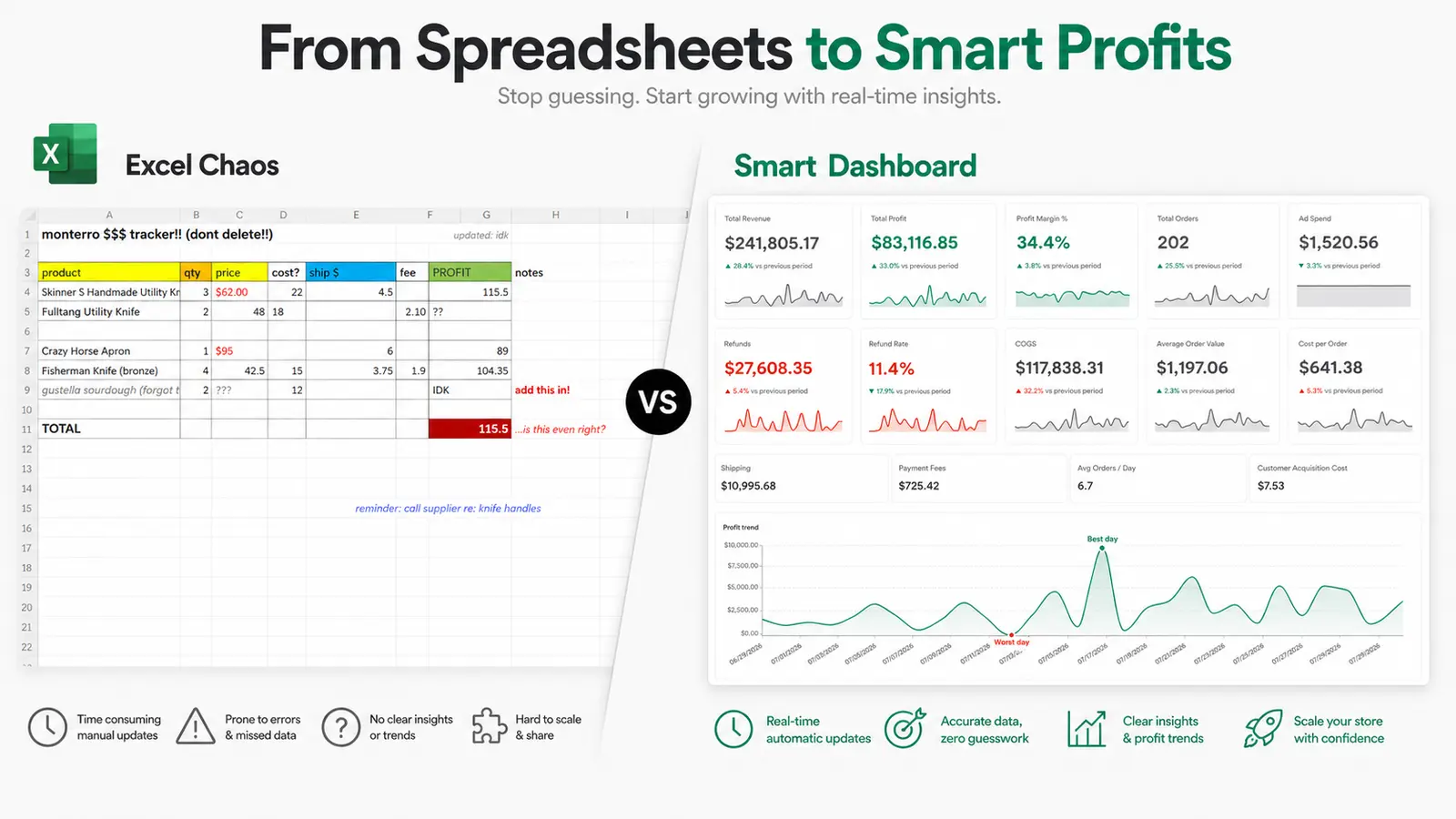
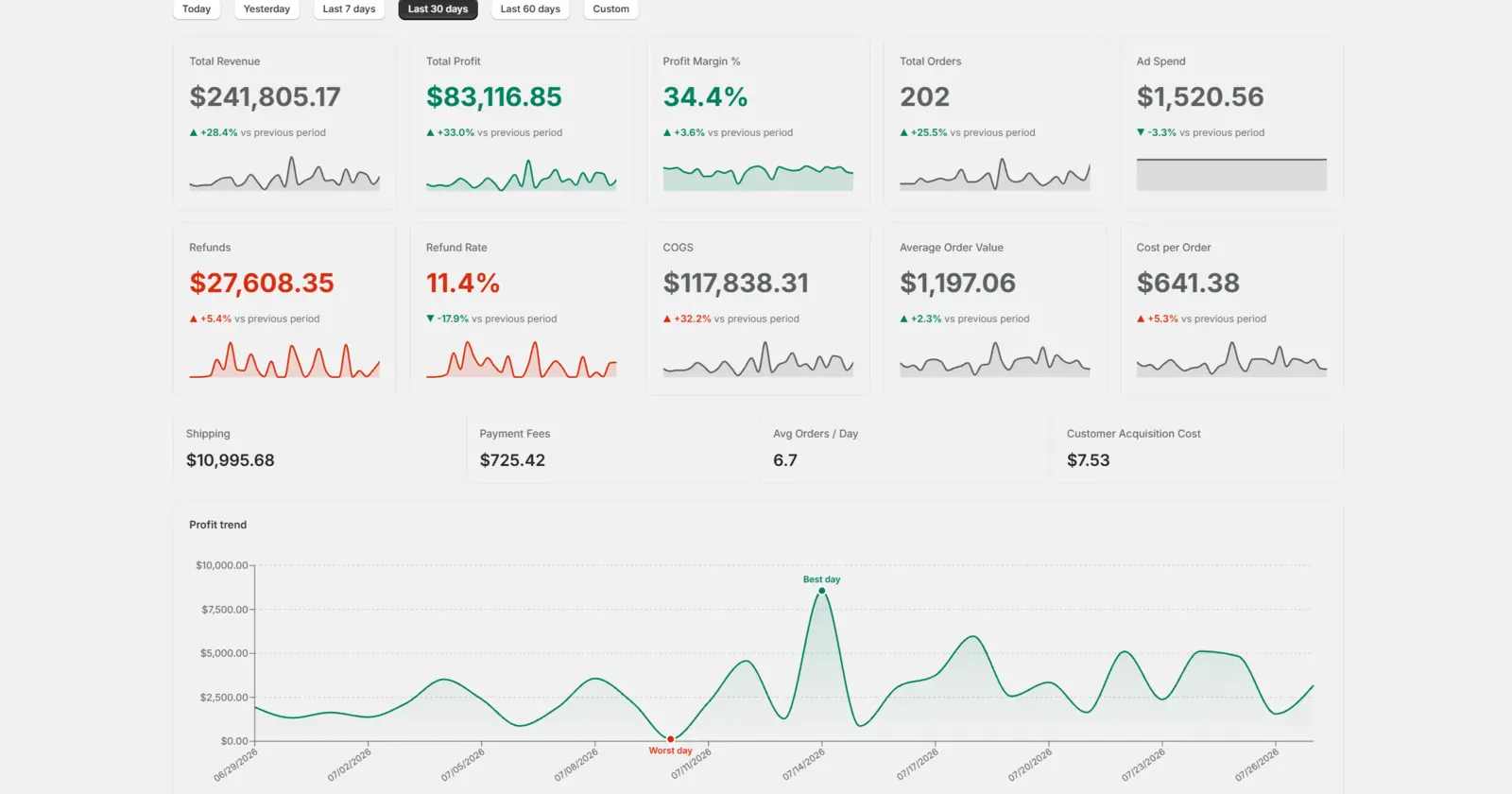
See it in action
Every stat updates live for the period you pick — revenue, margin, refunds, COGS, ad spend, and a day-by-day profit trend with your best and worst day called out.
14-day free trial
$14.99/month
Cancel anytime from your Shopify billing settings.